🔎 Overview
Be honest: how lazy am I? 😂
Every time I sit down to update my CV, I stare at the screen and think, “wait, what did I even do these past few months?” So instead of trying to remember harder, I built a little system that remembers for me.
The idea: I jot down a few sentences whenever I finish something. Once a month, a bot reads those notes, drafts a CV update, and opens a pull request. I review it, approve it, and the latest CV shows up on my portfolio website. That’s it :3
😭 The Problem
My brain, every single CV update:
The fix isn’t a better memory. It’s making the noting down part so small that I can’t skip it.
📒 Step 1: A Tiny Career Journal
Whenever I finish something, I add a few lines to a private Google Sheet. No fancy format, just enough to jog my memory later.
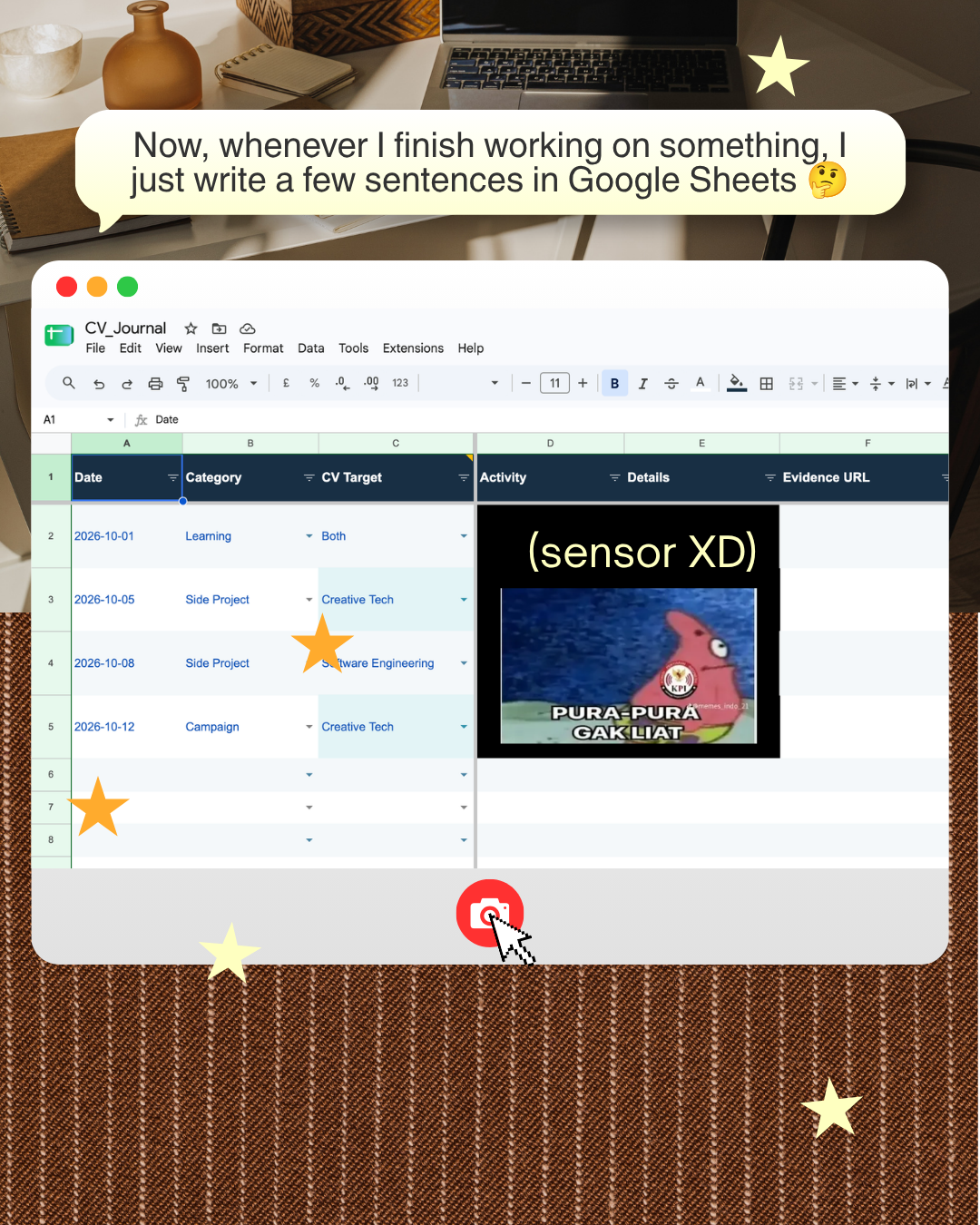
| Column | What it’s for |
|---|---|
| Date | When it happened. |
| Category | Work, Side Project, Learning, Certification, Content, or Campaign. |
| CV Target | Which CV it belongs to: Software Engineering, Creative Tech, or Both. |
| Activity / Details | A sentence or two in plain language. |
| Evidence URL | A link to prove it, so I don’t inflate things later. |
| Public Safe | A checkbox. Only rows I tick are ever allowed to leave the sheet. |
Since the sheet is private, I can dump everything in there. The Public Safe checkbox is my safety net: unchecked rows never get read by the bot, so nothing sensitive can leak into a public repo by accident.
🤖 Step 2: A Monthly Bot
Once a month, a GitHub Action wakes up on its own and does the boring work for me.
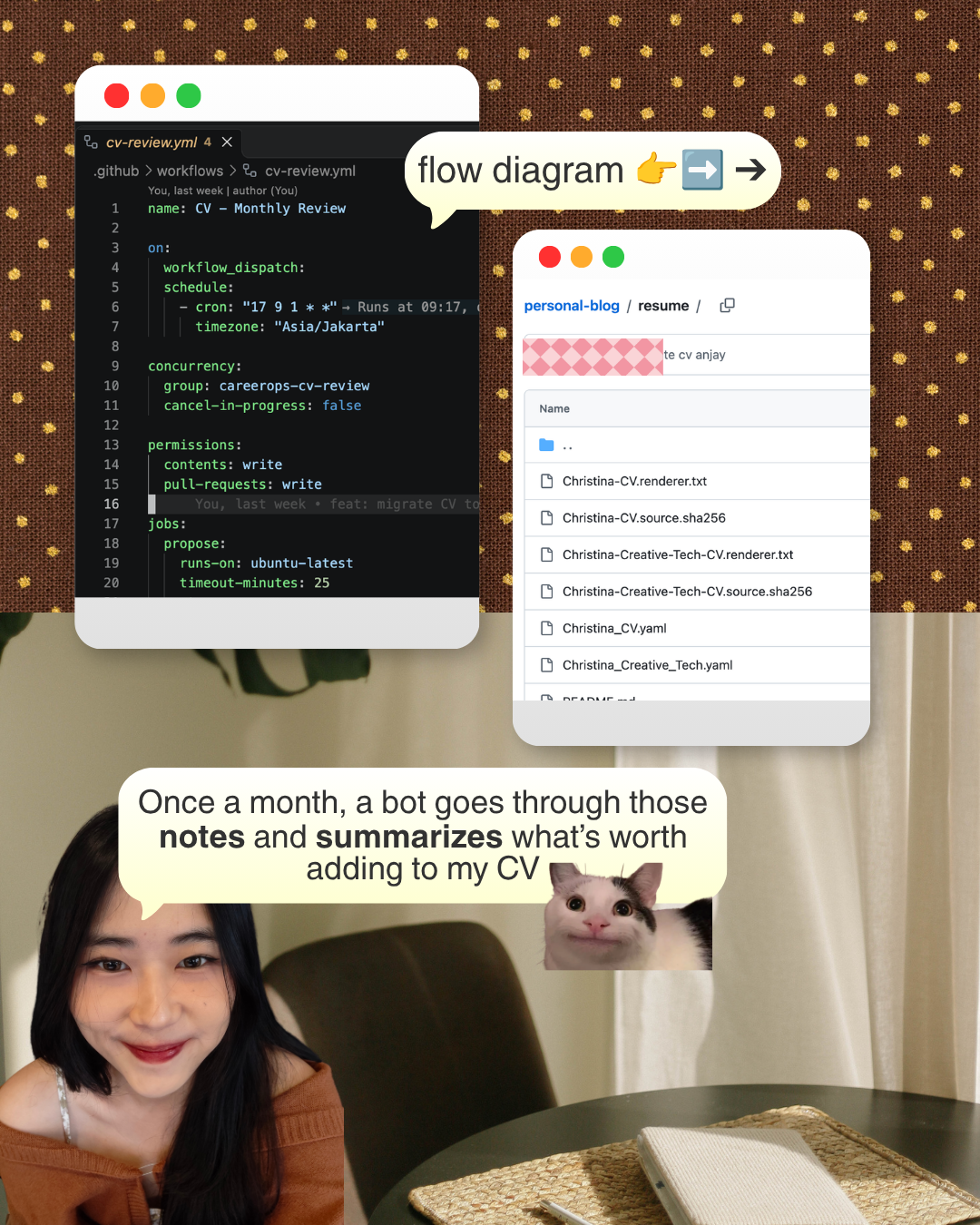
Here’s the whole flow:
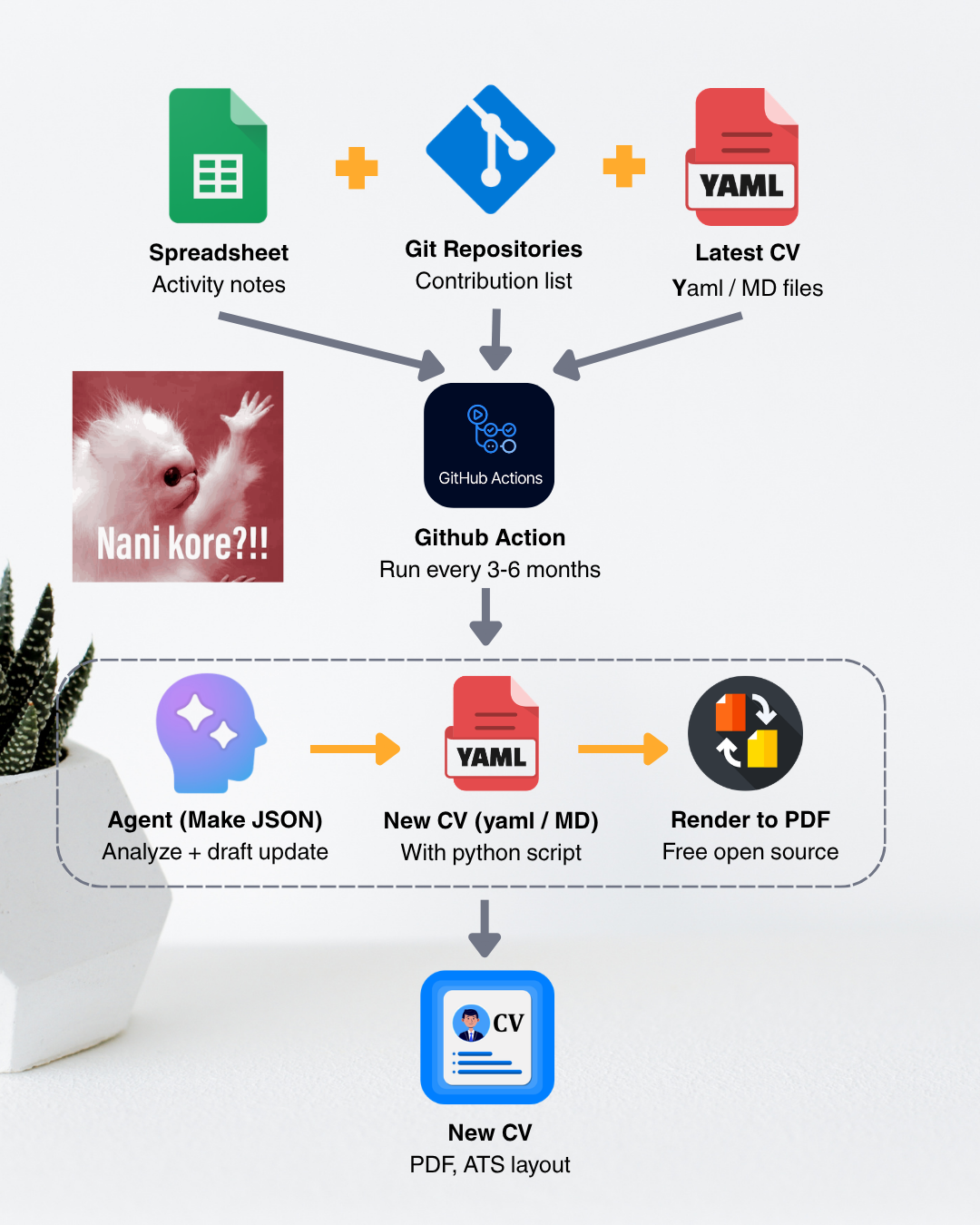
- Collect: the Action reads the journal rows I marked Public Safe, and sees what’s already in my current CV file (YAML).
- Draft: a small script proposes updates to the CV file. There’s an optional AI helper that can polish the wording of rows I specifically allow, but it’s off by default and the script falls back to my original text if it isn’t available.
- Render: the updated YAML gets turned into a PDF.
- Propose: instead of changing anything directly, the bot opens a draft pull request.
🎨 Step 3: RenderCV Does the Layout
I really don’t want to fiddle with margins, columns, and fonts every time. RenderCV is a free, open-source tool that takes a YAML file and turns it into a clean, ATS-friendly PDF.
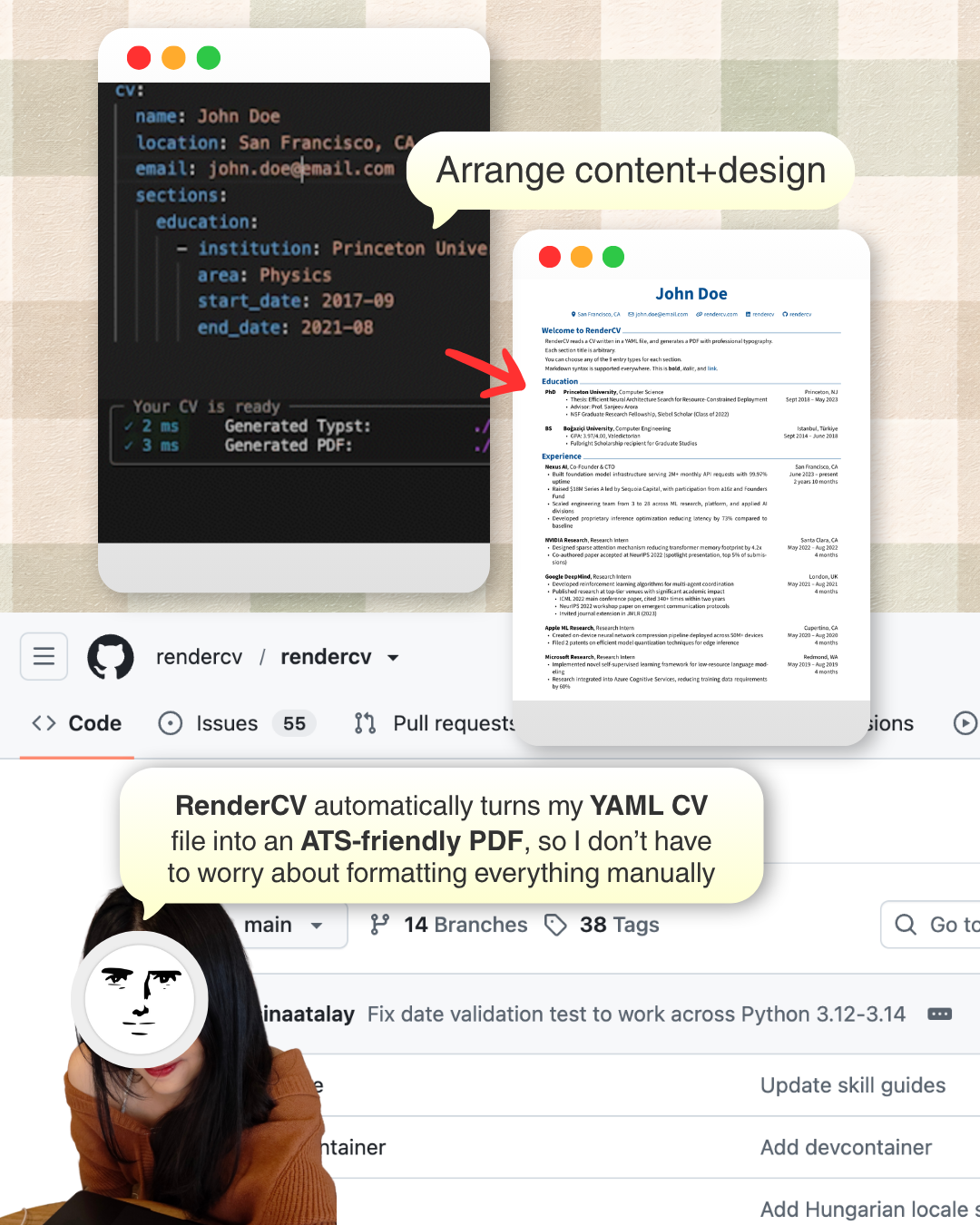
So my CV is basically just content in a YAML file. I can edit the words and adjust the design from the same place, and the layout is handled for me. I keep two tracks, one for Software Engineering and one for Creative Tech, and each is rendered separately.
🏠 Step 4: Living Next to My Portfolio
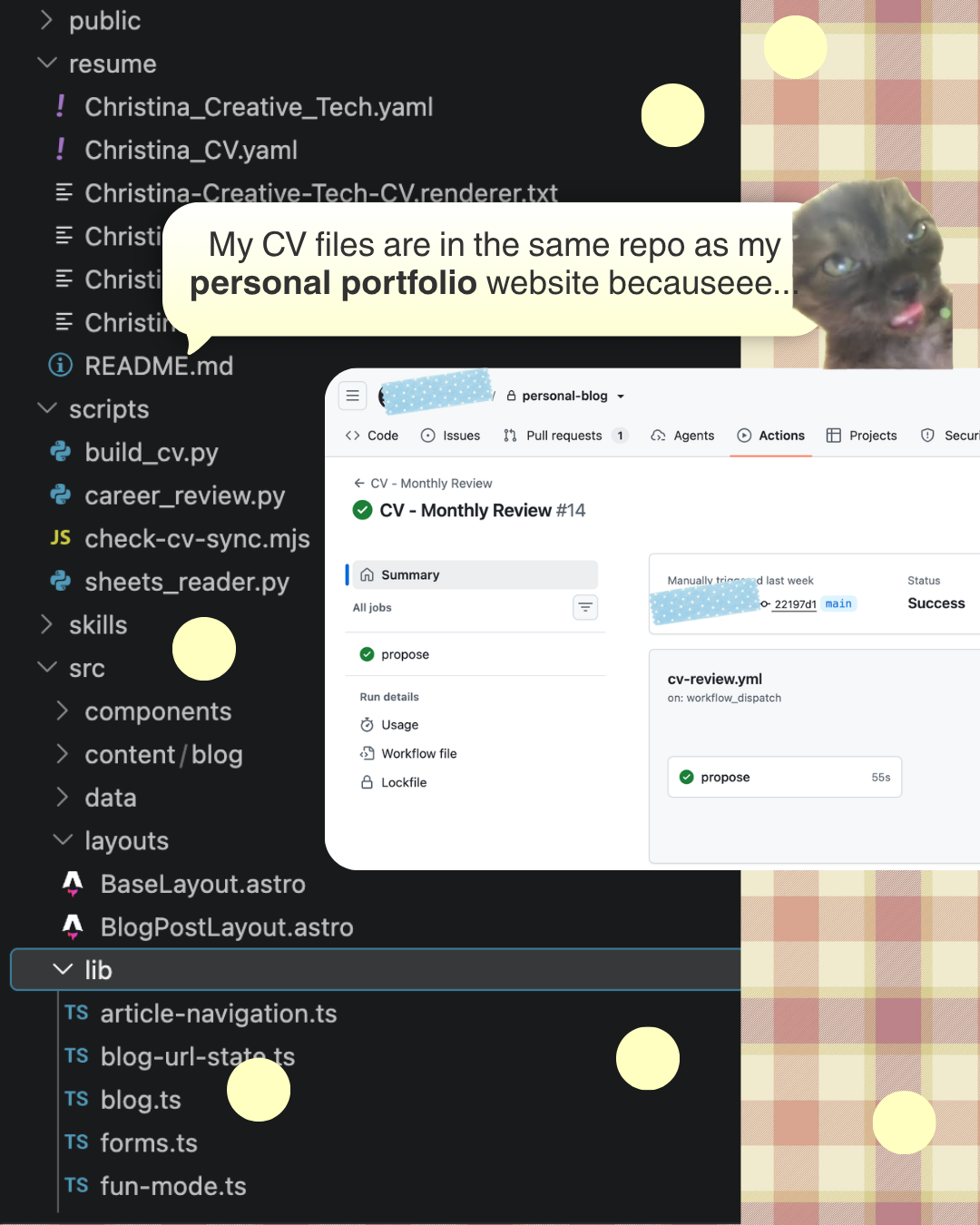
The CV files live in the same repository as my portfolio website. The scripts, the workflow, the CV YAML files and the site all sit side by side, which means one merge updates everything.
🫶 Step 5: I Review, Then Approve
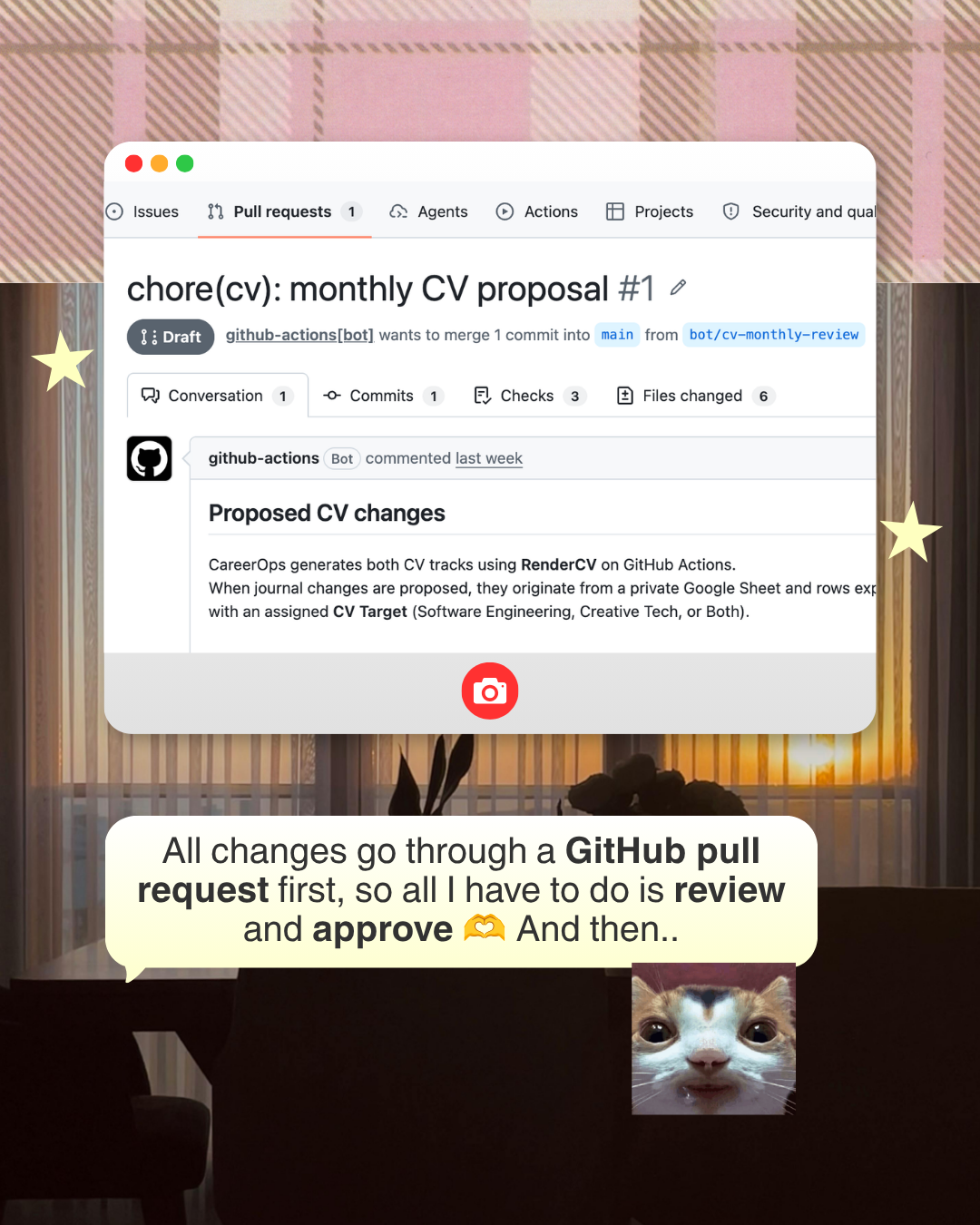
Nothing goes live on its own. Every change from the bot arrives as a draft pull request, so all I have to do is read it, fix anything that sounds off, and approve it. (I’m still the one who decides what’s true about my own career!)
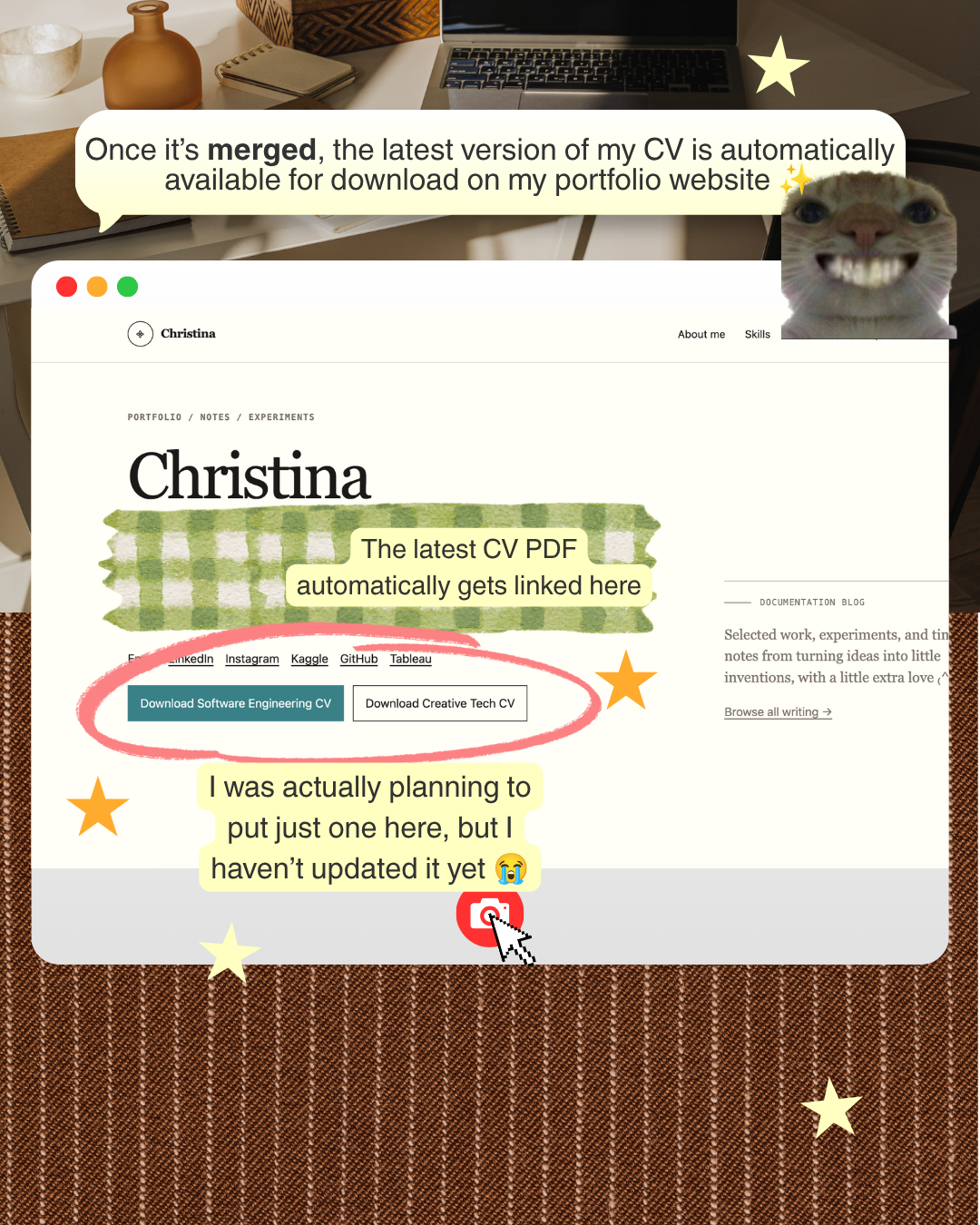
Once I merge, the website redeploys and the newest PDF is ready to download straight from my portfolio:
🔁 The Whole Loop
- Note it: I write a few sentences in the sheet whenever I finish something.
- Collect: once a month, GitHub Actions reads the Public Safe rows.
- Draft: a script proposes updates to the CV YAML.
- Render: RenderCV generates the PDF for each CV track.
- Review: the bot opens a draft pull request and I check every line.
- Publish: after I merge, the portfolio serves the latest CV.
📏 A Few Honest Notes
- It only reads the sheet for now. The diagram also shows my Git contributions as an input, but that’s the next thing I want to add, not something that’s running yet.
- The AI is a helper, not the author. It’s optional, it only touches rows I explicitly allow, and I read every line before approving.
- I still check everything. The bot can propose, but only I can merge.
- Not everything is fixed yet. My portfolio originally had a single download button, and I haven’t tidied up that section since adding the second CV 😭
💭 Why I Built It
I don’t need another thing that reminds me to update my CV. I need the update to mostly happen by itself, with me only doing the part that matters: making sure it’s accurate.
Will it actually work, or will it end up as a forgotten project?! IDK, let’s see 😭