🎆 A Little Backstory
At some point, I realized I’d forgotten almost everything I learned in high-school math 🙃. Sine, cosine, angles, velocity… they all sounded familiar, but actually using them? Totally different story.
I wanted to learn the basics again, just not by staring at a textbook or grinding through a hundred exercises.
So I thought: what if I could see the math in action? Fireworks felt like the perfect excuse. Angles decide where the sparks fly, velocity decides how they move, and gravity pulls them back down. Change one number, and you see the result right away on the screen. Suddenly, math feels more like playing than studying ✨.
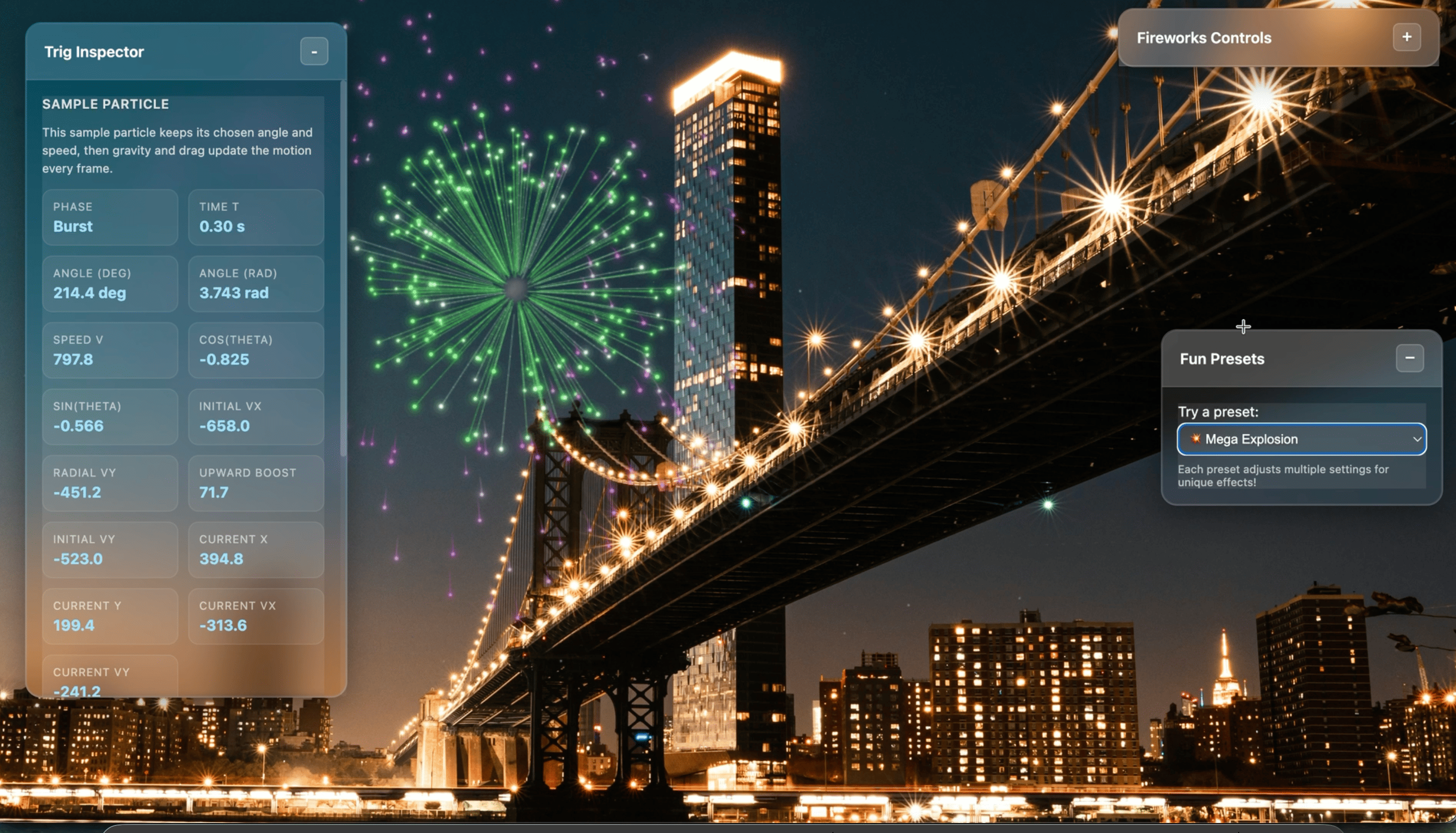
That idea became Fireworks Visualizer: a browser playground where clicks and taps make colorful explosions, and you can mess around with the physics behind them. No backend running the show. The browser handles the animation, sound, and controls in real time, all from about 1,900 lines of vanilla JavaScript on top of p5.js.

🔎 Overview
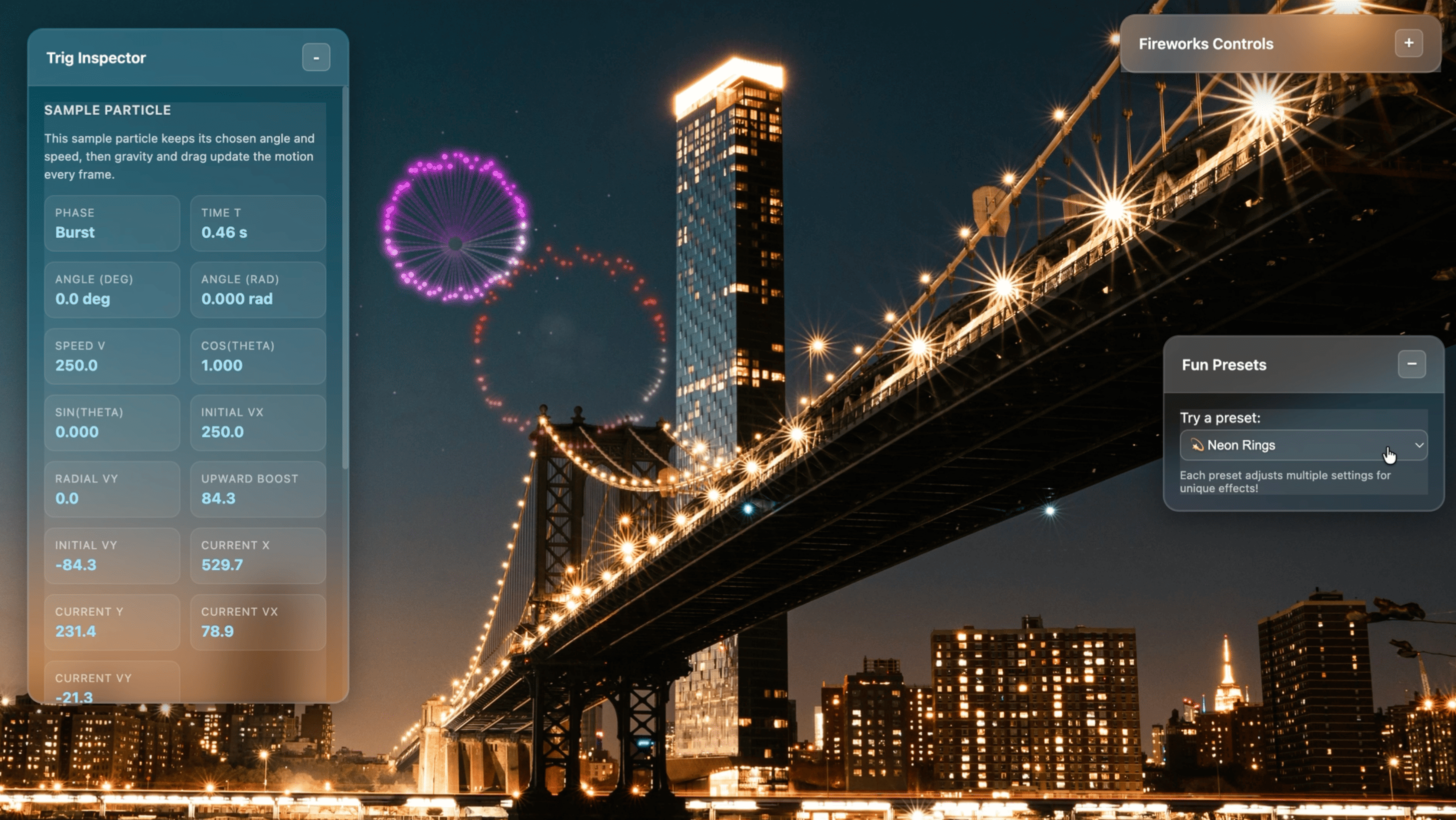
- What it does: Launch fireworks anywhere on the screen, tweak how they behave, and watch the results instantly.
- Built with: HTML, CSS, vanilla JavaScript, p5.js, and p5.sound.
- Key features: Color palettes, ring and solid bursts, recursive explosions, glowing trails, sparkles, smoke, sound, and ready-made presets.
- Bonus learning tool: A live Trig Inspector that shows the angle, speed, and velocity of a sample particle.
- Deployment: A static website. No app server, no database for the simulation.
🗺️ How Everything Connects
flowchart TD
    U["Visitor: click or tap"] --> I["Input handler"]
    C["Controls and presets"] --> S["Live simulation settings"]
    I --> E["Fireworks engine - p5.js"]
    S --> E
    E --> P["Shots, particles, sparkles, smoke"]
    P --> L["Off-screen graphics layers"]
    L --> V["Canvas in the browser"]
    E --> M["FPS and entity-load monitor"]
    M --> Q["Adaptive quality"]
    Q --> E
    A["Local image and sound assets"] --> E
    B["Browser localStorage"] <--> C
In plain words: your input → firework physics → visual effects → canvas. There’s also a small feedback loop that keeps an eye on performance and tones down the effects when things get heavy.
Everything that makes a firework runs on your device. The host only needs to serve the HTML, CSS, JavaScript, and media files.
🔨 How a Firework Happens
- You click or tap the canvas. The input handler checks how fast you’re tapping and ignores accidental duplicate touch/mouse events.
- The firework launches. By default, a glowing shot rises from the bottom of the screen toward where you tapped. You can also turn launch mode off for an instant burst.
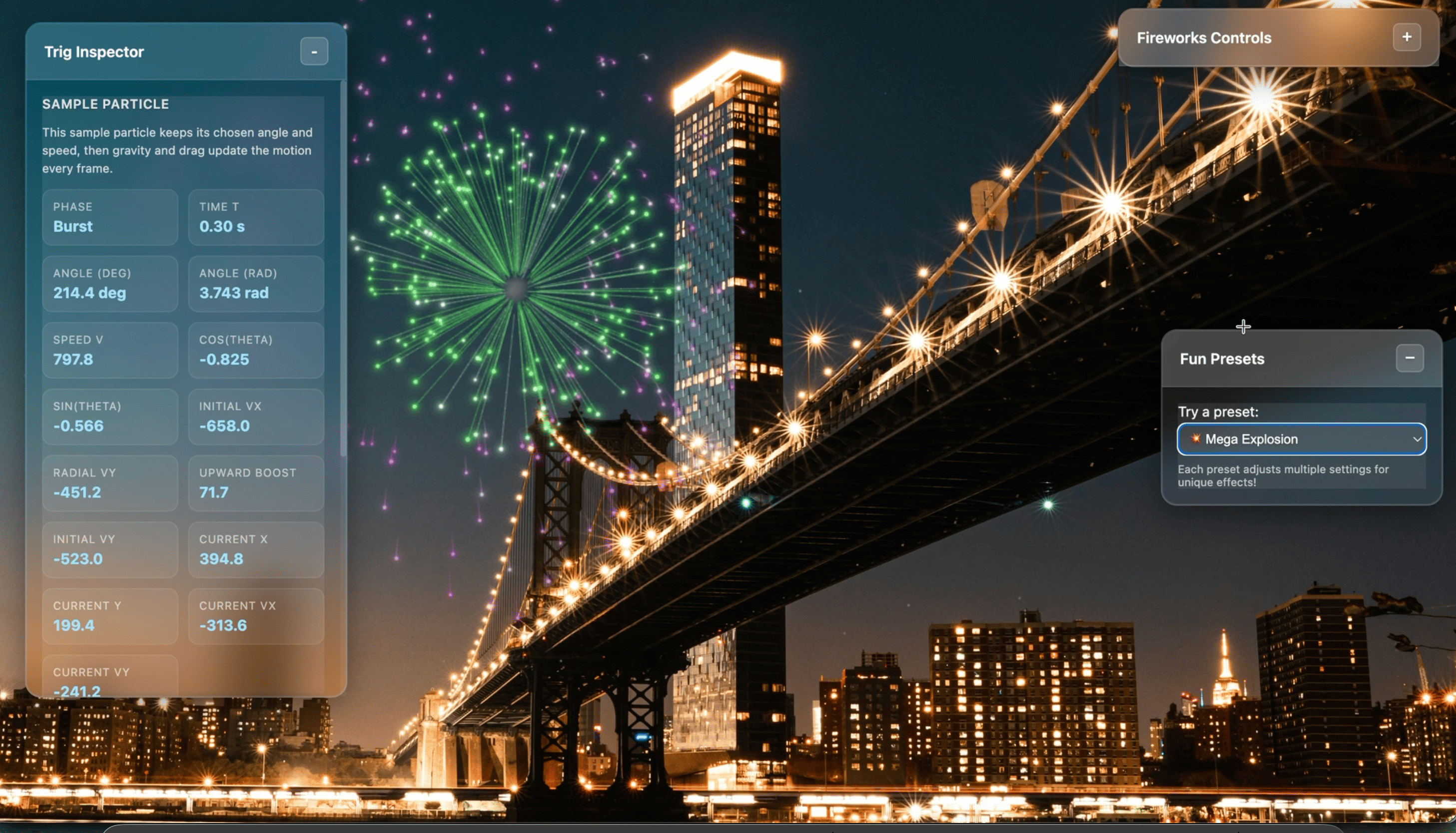
- Boom, particles! A ring burst spreads particles in evenly spaced directions. A solid burst mixes up the angles and speeds for a fuller look.
- Physics takes over. Gravity and drag change each particle’s velocity, while trails, sparkles, optional smoke, and sound make the explosion feel alive.
- Everything gets drawn. Separate graphics layers are combined on the canvas, and the Trig Inspector follows one sample particle.
And then there’s Recursive mode 🤯. Particles can create smaller bursts when they fade out, so you get layered explosions instead of one single flash.
🧮 The Math Behind the Magic
Okay, math time! (I promise it’s the fun kind.)
Every burst starts with a speed (v) and an angle (θ). Trigonometry splits them into horizontal and vertical motion:
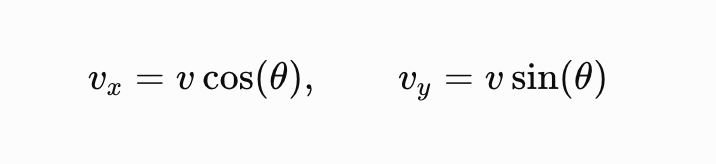
Where:
- v = Initial speed
- θ = Launch angle
- vx = Horizontal velocity
- vy = Vertical velocity
On every frame, the engine updates the velocity with gravity and drag, then moves each particle:
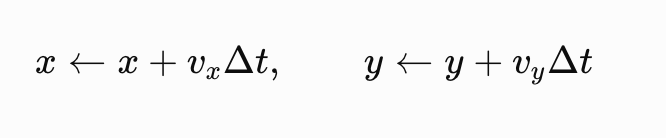
Where:
- x, y = Current particle position
- vx, vy = Current velocity components
- Δt = Time elapsed between frames
A few tiny details make a big visual difference:
- Upward bias gives the first burst a rising arc before gravity pulls it down.
- Fading trails leave light streaks that disappear naturally.
- Sine-wave twinkling makes smooth, slightly different sparkle patterns.
- Recursive scaling makes child explosions smaller, but lets them hang around a bit longer.
The Trig Inspector shows all of this live: a particle’s angle, sine/cosine values, starting velocity, and current position while the animation runs. This is the part that finally made sin and cos “click” for me again 😄.
🎨 Make It Yours
| Control | What it changes |
|---|---|
| Colors | Warm, cool, rainbow, pastel, neon, monochrome, random, or custom palettes. |
| Blast type | Neat circular rings or more organic, filled explosions. |
| Particle settings | Number of particles, size, trail width, and trail duration. |
| Blast behavior | Spread, lifetime, gravity, and recursive depth (up to two levels). |
| Visuals and audio | Toggle launch shots, smoke, and sound. |
| Background | Upload an image; the selected background is saved in browser storage. |
| Presets | Quickly try styles such as Neon Rings, Golden Shower, Rainbow Burst, or Mega Explosion. |
You can change everything while the animation is running, so it’s easy to see how one setting changes the result.
⚡ Keeping It Smooth (aka Surviving the Spam-Clickers)
Here’s a confession: the first version lagged. A lot. Particle effects get expensive fast, especially when someone (me, testing it 🙋♀️) taps the screen like crazy. So I did a whole performance pass and wrote down what was actually causing the lag.
The culprits:
- Unlimited clicks and taps could spawn a ridiculous number of shots in a second.
- On mobile, touch and mouse events could both fire for one tap, doubling every firework.
- The main
drawloop was filtering arrays and generating random numbers every single frame. - Fancy blur effects on the control panels were quietly hurting mobile rendering.
What I changed:
| Challenge | Approach | Trade-off |
|---|---|---|
| Too many rapid taps | Rate limiting (max 18 inputs per second on desktop, 7 on mobile), duplicate-event protection, and a cap on active shots | Some extra taps are intentionally ignored |
| Too many active effects | Budgets for particles, sparkles, and smoke; bursts shrink to fit what’s left | Busy scenes cannot grow forever |
| FPS drops under load | Normal → Reduced → Critical quality levels based on smoothed FPS and how many things are on screen | Trails and secondary effects become simpler |
| Mobile hardware limits | Mobile starts one quality level lower, with fewer sparkles, shorter trails, and no smoke by default | Slightly less detail on smaller devices |
| Garbage in the hot loop | Trimmed collections in place instead of creating new arrays every frame; cached glow values and deterministic twinkle instead of per-frame randomness | Code is a bit less “obvious” to read |
| Inconsistent frame times | Time-based motion with a capped frame step | Big lag spikes do not produce huge physics jumps |
I also gave mobile some extra love 📱: safe-area handling so panels don’t clash with notches, bigger tap targets, 16px form inputs so iOS stops zooming in every time you touch a slider, no accidental double-tap zoom on the canvas, and a presets panel that moves out of the way on small screens.
The big idea is graceful degradation: when things get heavy, the fireworks stay interactive, even if some of the extra sparkle gets dialed down. No cloud GPU, no server-side rendering needed.
🤔 Decisions I Made (and What They Cost)
| Decision | Why it works | What to keep in mind |
|---|---|---|
| p5.js + Canvas | Flexible, frame-by-frame control over particle animation | Rendering and particle lifecycles must be managed manually |
| Browser-only simulation | Simple deployment and immediate interactions | Performance depends on the visitor’s device |
| Separate graphics layers | Easier to compose shots, trails, and smoke | Additional drawing work uses browser resources |
| Live controls and presets | Beginners can experiment without changing code | Many options can make the interface feel busy |
| Static hosting | No backend infrastructure for animation logic | Bandwidth and static hosting costs still depend on traffic |
💬 Closing
Fireworks Visualizer showed me how far a browser can go with just a few familiar tools. A little trigonometry gives direction, simple physics adds motion, and careful rendering turns hundreds of tiny dots into something that feels alive.
But the bigger lesson for me wasn’t really about fireworks. It’s that math gets way easier to reconnect with when you can poke at it and see what happens. And you can build something interactive, customizable, and smooth without overcomplicating the architecture.
Now go make some explosions! 🎇