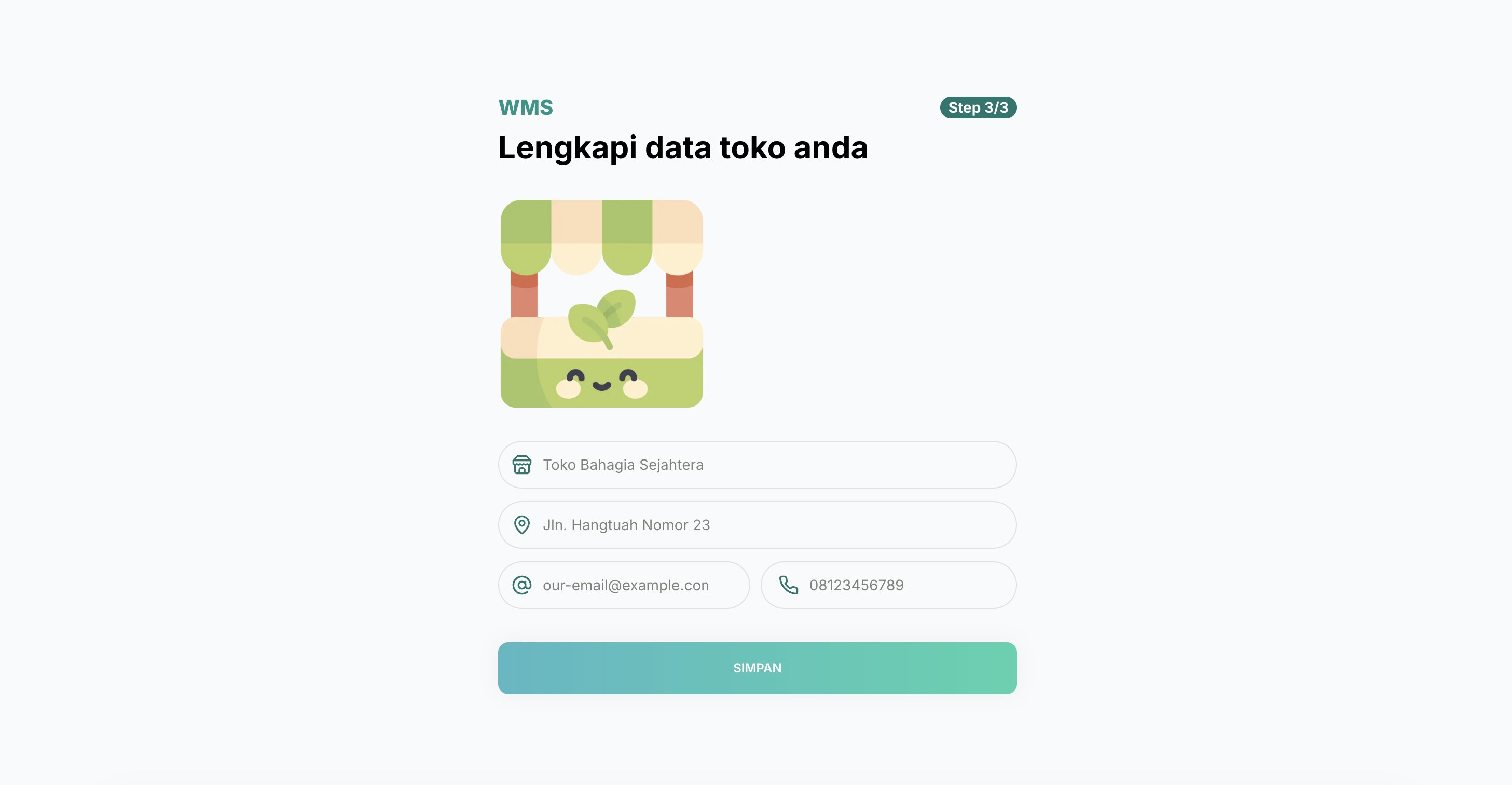
🔎 Overview
Running a small business means juggling a lot: what’s in stock, what got sold, who still needs an invoice… and usually all of it lives in a few messy spreadsheets 😵💫.
WMS puts product records, stock movements, and sales in one system. The web dashboard handles daily management and reporting. The Android app is its sidekick, with barcode scanning and quick stock updates for one specific client whose team works away from a desk.
This was a client project, and it’s now in use by the client, who has taken over ownership and continues development with their own developer 🎉.
The two apps do different jobs but share the same backend and business data. The Android app is a tailored companion, not a second inventory system or a mini copy of the dashboard.
✨ Key Features
🖥️ Web Dashboard
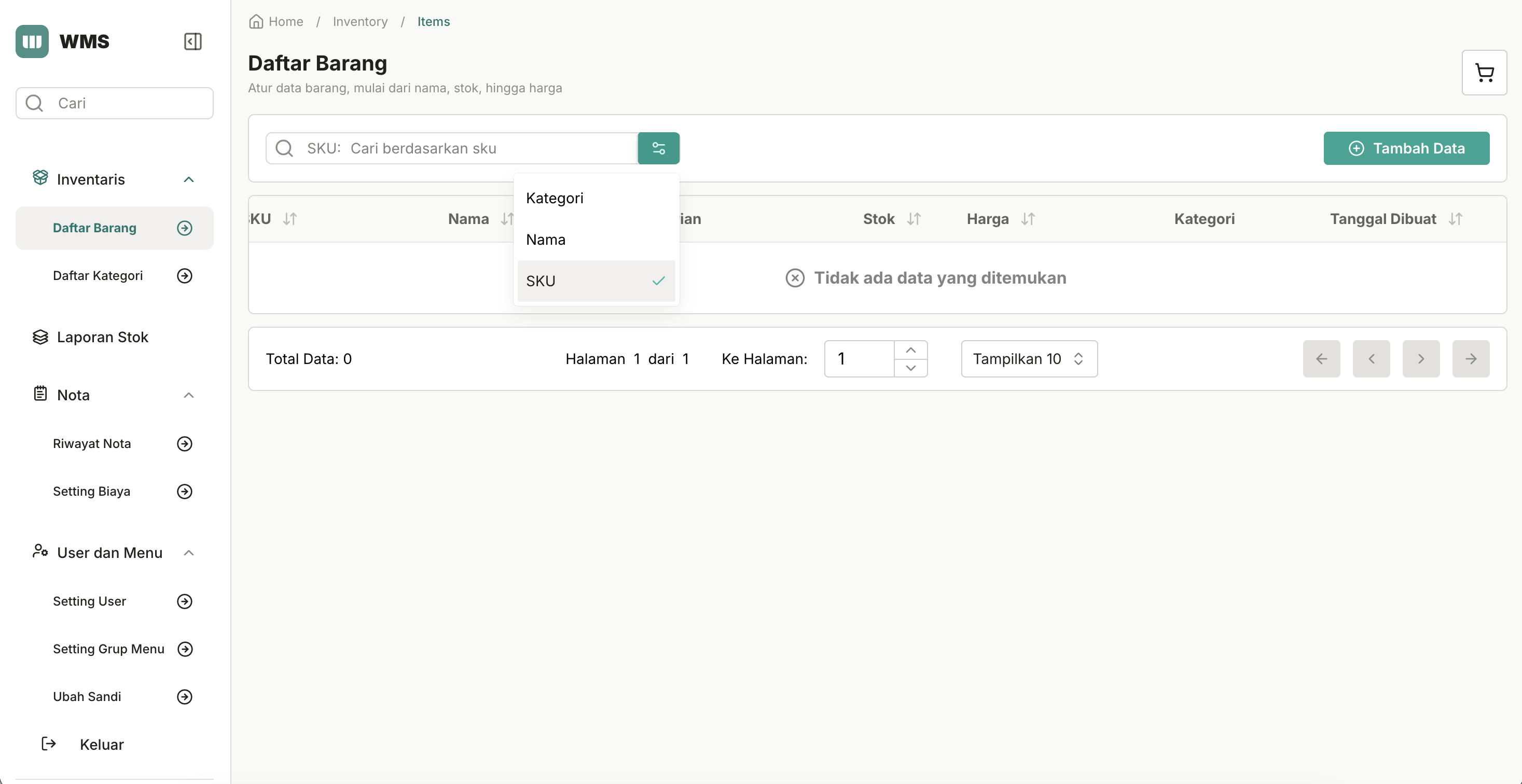
- Product management: Add, edit, search, and organize items by SKU, variant, category, price, and stock quantity.
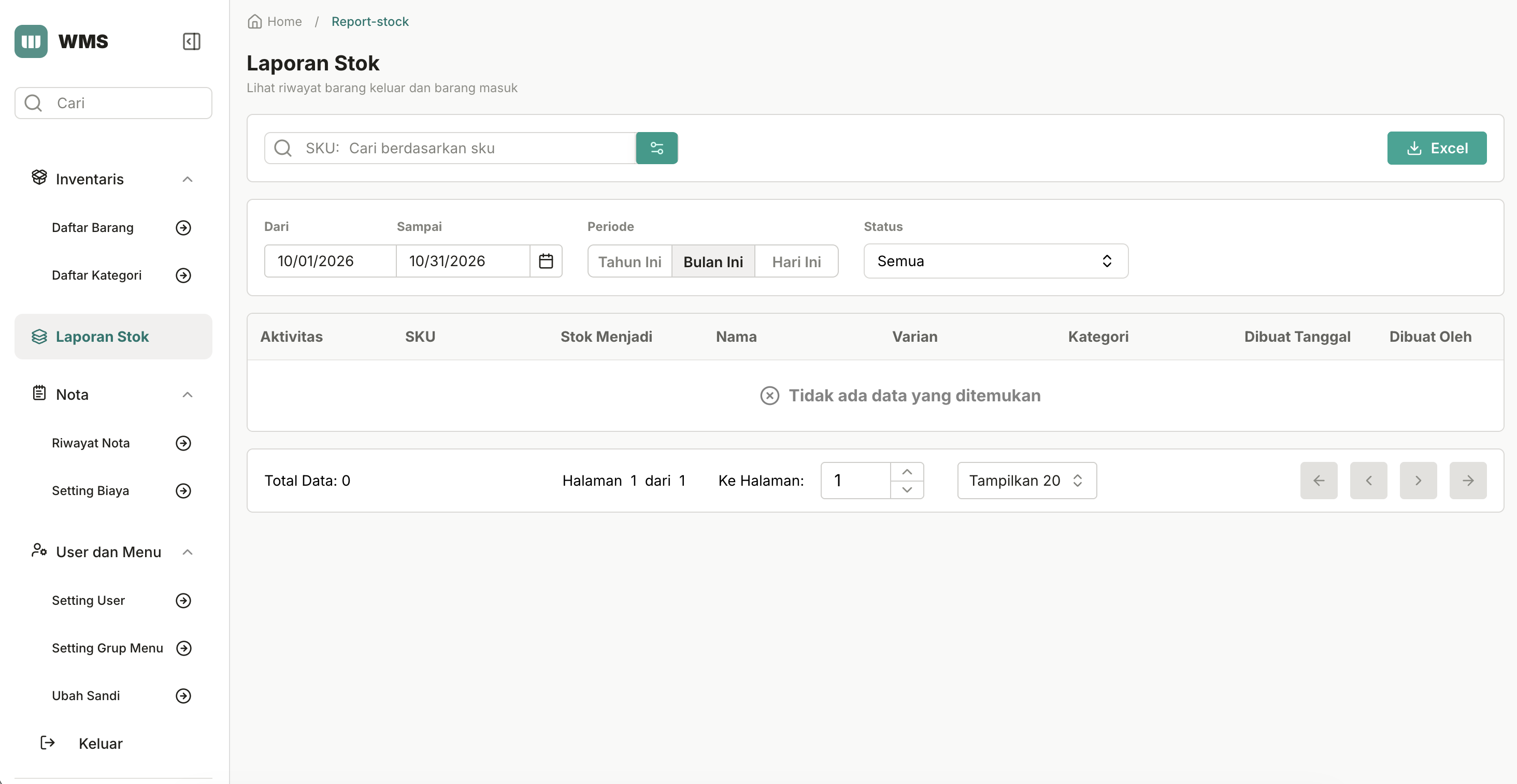
- Stock tracking: Check item activity and stock-in/stock-out history, filter reports by date, and export stock reports as CSV.
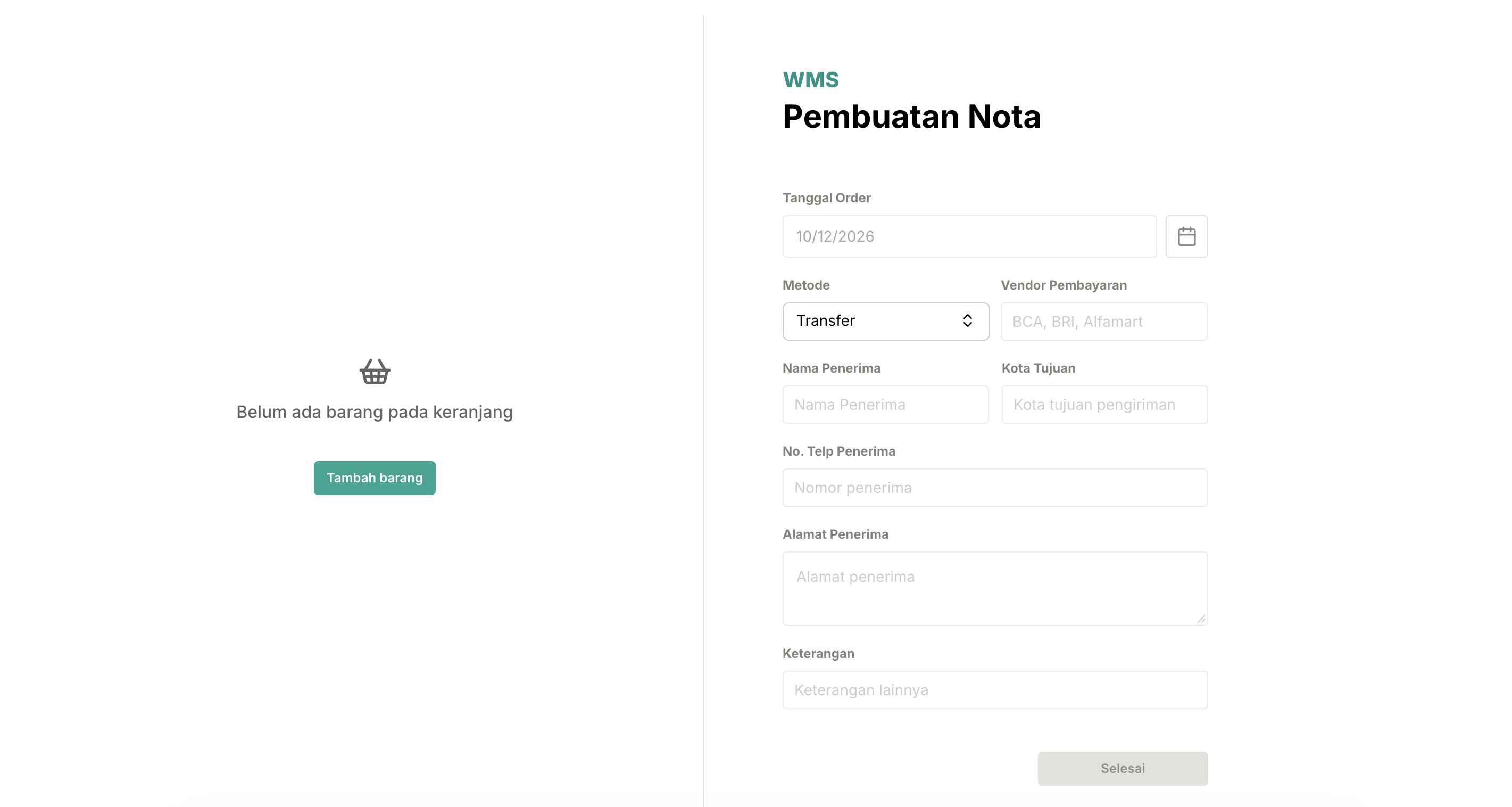
- Sales & invoicing: Build a cart, enter customer and payment details, and create invoices with configurable discounts, taxes, shipping, or other fees.
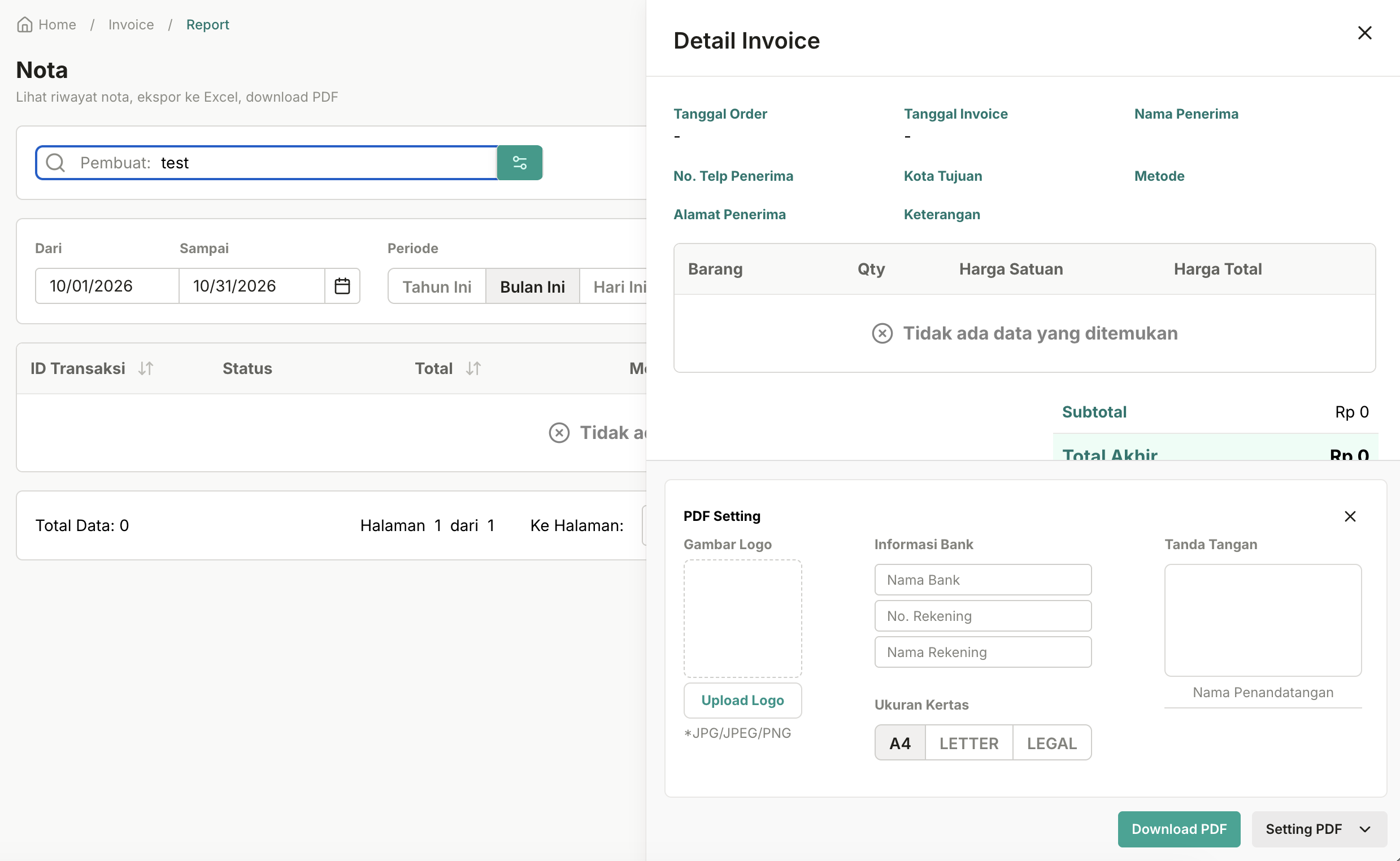
- Invoice reports: View transaction details and status, download invoices as PDF, and export invoice records as CSV.
- Business & team access: Pick a business workspace, invite staff, and manage roles and permissions.
📱 Custom Android Companion
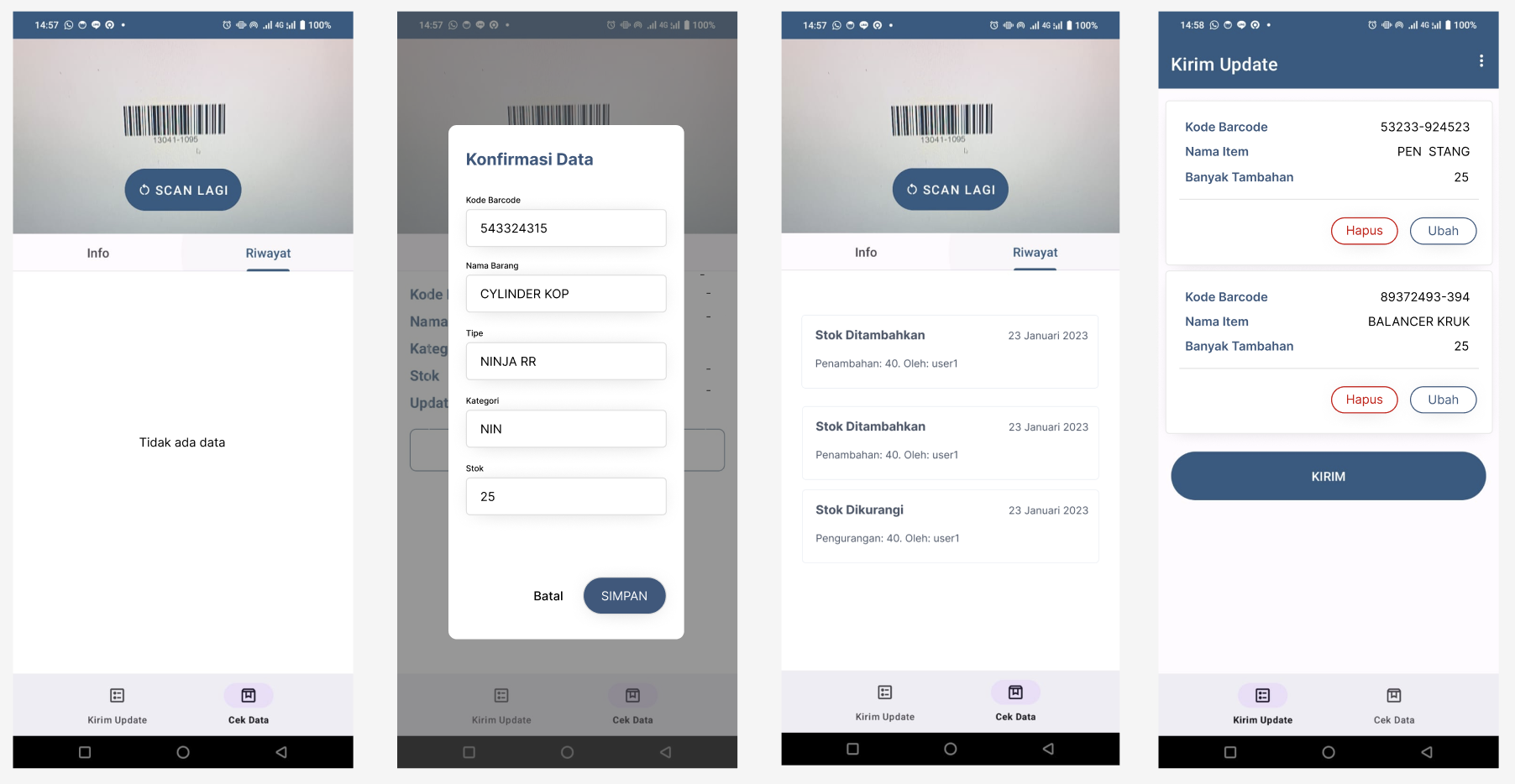
- Scan or search products: Point the camera at a barcode, or look up an item by part number, then see its details and activity history.
- Record stock changes: Prepare stock increases, decreases, or new item entries during on-site checks.
- Review before submitting: Pending changes are saved locally with Room, so staff can edit the list and send everything together once they’re connected.
🗺️ Architecture
The big picture
flowchart LR
    subgraph Clients["Client Applications"]
        direction TB
        Web["Web Dashboard<br/>Next.js + React<br/>Inventory, checkout, reports"]
        Android["Client-specific Android App<br/>Kotlin + CameraX + ML Kit<br/>Scanning and stock checks"]
        Room[("Room Local Database<br/>Pending stock changes")]
        Android <-->|"Save / edit drafts"| Room
    end

    subgraph Backend["Shared Backend - Go + Fiber"]
        direction TB
        API["REST API<br/>JWT authentication + business access"]
        Identity["Users, businesses<br/>and roles"]
        Inventory["Products, categories<br/>and stock history"]
        Sales["Checkout, fees<br/>and invoices"]
        API --> Identity
        API --> Inventory
        API --> Sales
    end

    subgraph Data["Persistent Storage"]
        PostgreSQL[("PostgreSQL<br/>Business records, products,<br/>stock history and invoices")]
    end

    Web <-->|"HTTPS / JSON"| API
    Android <-->|"Lookups / batch updates"| API
    Identity --> PostgreSQL
    Inventory --> PostgreSQL
    Sales --> PostgreSQL
In short: both apps talk to the same REST API instead of touching the database directly. The backend handles login, business-level permissions, and data updates, and PostgreSQL stores the shared records. On Android, Room only holds pending edits. Once submitted, the backend takes care of them.
🖥️ Web frontend
flowchart TB
    Staff["Business owner or staff<br/>Web browser"]

    subgraph Frontend["Web Frontend - Next.js + React"]
        Router["App Router + Middleware<br/>Page navigation and login redirects"]
        Pages["Pages<br/>Inventory, checkout, invoices,<br/>reports, team settings"]
        UI["Reusable UI Components<br/>Forms, tables, cart, exports"]
        Query["TanStack Query<br/>Fetch, cache, update data"]
        Store["Zustand Stores<br/>Cart and pricing adjustments"]
        Services["Service Modules<br/>Auth, tenant, item, invoice"]
        Axios["Axios HTTP Client<br/>JWT access token from cookies"]

        Router --> Pages --> UI
        UI <--> Store
        UI --> Query --> Services --> Axios
    end

    Cookies[("Browser cookies<br/>Access and refresh tokens")]
    API["Shared REST API<br/>Go + Fiber"]

    Staff --> Router
    Cookies -.-> Router
    Cookies -.-> Axios
    Axios <-->|"HTTPS / JSON"| API
I kept screens and reusable components separate from data fetching. TanStack Query handles API data and updates, while Zustand keeps checkout stuff like the cart. Service modules send requests through Axios, which attaches the access token, and middleware takes care of login redirects.
A few more things under the hood that I didn’t mention before 👀:
- A proper design system. The UI is built with Panda CSS and Park UI (on top of Ark UI), so buttons, inputs, and tables look and behave consistently across around 165 components.
- Forms that check themselves. Product, checkout, and team forms use React Hook Form + Yup validation, so mistakes get caught before they reach the API.
- Tables that can keep up. Inventory and invoice lists use TanStack Table for sorting and pagination.
- Real PDF invoices. Invoices are generated as actual PDF documents with @react-pdf/renderer, and reports export to CSV.
📱 Android app
flowchart TB
    Staff["Staff member<br/>Android device"]

    subgraph Mobile["Custom Android App - Kotlin"]
        Screens["Activities + Fragments<br/>Login, stock check, pending changes"]
        Scanner["CameraX + ML Kit<br/>Barcode scanner"]
        VM["ViewModels + LiveData<br/>UI state and actions"]

        Remote["Remote Repositories<br/>Auth, items, activity history"]
        HTTP["Retrofit + OkHttp<br/>API requests and auth interceptor"]

        Local["LocalProductRepository<br/>Save, edit, delete drafts"]
        DAO["Room DAO"]
        Room[("Room Database<br/>Pending stock changes")]
        Tokens[("DataStore<br/>Access and refresh tokens")]

        Screens --> Scanner
        Scanner -->|"Scanned part number"| Screens
        Screens --> VM
        VM --> Remote --> HTTP
        VM --> Local --> DAO <--> Room
        VM <--> Tokens
        Tokens -.->|"TokenManager"| HTTP
    end

    API["Shared REST API<br/>Go + Fiber"]

    Staff --> Screens
    HTTP <-->|"HTTPS / JSON"| API
The Android app uses ViewModels and repositories to keep screens separate from data handling. CameraX and ML Kit read the barcodes, Retrofit loads product details and submits changes, Room keeps stock-edit drafts until the user reviews and sends them, and DataStore holds the login tokens. Drafts are submitted manually, not synced automatically.
🔨 How It Works
📦 A typical on-site stock check
Picture a staff member checking products in a storage room. Instead of walking back to a computer for every single item (exhausting!), they can scan a barcode, check its record, and prepare a stock adjustment right from their phone. They review all their pending changes before sending them, and once submitted, the updates show up on the web dashboard through the shared backend.
🖥️ Web: inventory to invoice
- Sign in and choose a business workspace.
- Create or update products, categories, and stock info.
- Add products to a cart and enter customer, payment, and pricing details.
- Submit the sale through the API, then view invoices or download reports.
📱 Android: scan, review, submit
- Scan an item with CameraX + ML Kit, or search by part number.
- Fetch its details and activity history from the API.
- Record stock increases, decreases, or new items as local Room drafts.
- Review the pending list and confirm a batch submission when you’re online.
Quick clarification: the Android app can keep draft changes on the device, but it still needs a connection to look things up and submit updates. It’s not automatic background syncing.
🤔 Decisions We Made (and What They Cost)
| Decision | Why it fits | Trade-off |
|---|---|---|
| One REST API for web and Android | Both interfaces work with the same business records and rules. | Network access is needed for server-side operations. |
| Room for pending Android changes | Staff can stage multiple adjustments and review them before submission. | Drafts are only local until submitted; they are not yet reflected on the web. |
| Barcode scanning with manual lookup | Scanning is convenient on-site, while search offers another way to find an item. | Scanning depends on barcode quality and camera conditions. |
| TanStack Query + Zustand on the web | Separates server data fetching from temporary UI state such as the checkout cart. | Updated records need careful cache refresh and state coordination. |
📝 Design Journal: A Client-Specific Decision
- Problem: Inventory checks happen where the products are, not always at a computer.
- Choice: Build a focused Android companion for this client’s workflow, instead of squeezing the whole web dashboard onto a phone.
- Implementation: Camera scanning for lookups, Room for editable drafts, and the existing REST API for shared records and final submissions.
- Trade-off: The review-and-submit step gives staff control, but pending changes don’t reach the server until they confirm and connect.
UI/UX approach 🎨: I designed the whole user experience and interface for both apps: a web dashboard organized around everyday business tasks, and a focused Android flow for scanning, reviewing, and submitting stock changes.
What I love about this project: one system supports two totally different working situations, managing the business at a desk and checking physical stock on-site, without needing two separate backends.
👩💻 My Role & Tech Stack
Me: UI/UX design, web frontend, and Android. I handled all the UI/UX design for both apps, including screen layouts, navigation, and user flows. I also built the Next.js frontend and the client-specific Kotlin Android app, including the inventory and checkout screens, barcode scanning, pending stock-change drafts, and API integration.
My partner: Backend. Built the Go/Fiber REST API, authentication and access control, business logic, and PostgreSQL integration.
| Layer | Main technologies |
|---|---|
| Web frontend | Next.js, React, TypeScript, TanStack Query, TanStack Table, Zustand, Axios, Panda CSS, Park UI, React Hook Form, Yup, React PDF |
| Android | Kotlin, ViewModel, CameraX, ML Kit, Room, DataStore, Retrofit, Hilt |
| Backend | Go, Fiber, PostgreSQL |
🔮 Possible Extensions
Just to be clear, these are ideas for the future, not features that exist today:
- Cache selected product data on Android, so lookups still work in spots with weak signal.
- Add clearer retry and conflict-handling flows for when multiple staff members adjust the same stock records.
Thanks for reading! 📦✨